Two companies use the same canvassing software, yet the results are starkly different. One closes 5× more deals, while the other still struggles with the same old pain points, such as missed follow-ups, poor conversion rates, and scattered field operations.
It is not the tool alone, but the right tactics, usage, and mindset that help top-performing teams walk away with 50 deals while others struggle to close even five.
Software Features × Team Utilization = Real ROI
This blog breaks down the non-negotiable features, best-fit canvassing software options, and the strategies high-performing teams use to maximize outreach and close more deals.
How are High-Performing Teams Different in Their Use of Canvassing Software?
The best-performing canvassing teams use modern, smart software as a digital assistant to streamline their field operations and improve efficiency.
With just a few clicks, they can assign walk lists and map territories to maximize outreach through optimized routes. Incoming leads sync directly into the CRM with instant notifications and automated follow-ups, so no opportunity is missed and every prospect stays engaged.
Even in areas with poor connectivity, offline mode allows reps to continue working without interruption, with all data automatically syncing once the network is restored.
Key Takeaways
- Door-knocking apps streamline canvassing operations by optimizing routes and assigning reps efficiently to improve outreach while reducing the waste of fuel, time, and effort.
- Adopting the right digital tool is important to scale efficiently and achieve canvassing goals.
- Canvassing software and its list of advanced features alone do not guarantee results; the correct usage is what truly makes it effective for better workflows and operations.
Why The Real Problem Isn’t the Canvassing Software, It’s How Teams Operationalize It?
It is important to understand the real problem rather than simply focusing on the pros and cons of canvassing software. The real problem is not the canvassing software but the improper usage of the digital tool.
The software has features to enable efficiency, but it highly depends on the actual usage:
A. Untapped Features of the Software
Many companies purchase the highest subscription plans packed with advanced features, yet their teams end up using only the basic functions. As a result, much of the subscription value goes to waste. According to the industry, teams often use only about 40% of the software's features.
Let us dig into an example:
A campaign manager checks the dashboard and sees that each rep has knocked on more than 50 doors, so they assume the team has been productive for the day.
But they often miss peaking into the analytics dashboard that actually shows the conversion rate, the duration of each canvassing interaction, and the real quality of client engagement to curate better data-driven strategies.
You pay a hefty amount for a SaaS platform to make team management more accountable, yet you still rely on intuition and guesswork without really looking into what actually happens in the field.
B. Same Tool but Different Results
Give two teams the same tool and the same subscription plan, but you will end up seeing one team boast better canvassing results, while the other stays stuck with the same sloppy performance.
The tool is constant, but the team’s ability to extract value from it defines the real ROI of the canvassing software.
Let's understand this with the help of an example:
Two solar companies used the same canvassing software to manage leads. The first company turned on alerts for every new incoming lead and leveraged the live visibility feature to send the closest rep to each new lead. By the end of the quarter, they reached an 80% close rate.
The second company simply marked leads as “interested” but took no immediate action. They waited until the next day to identify leads or find the closest reps for follow-ups, which dropped their conversion rate.
If you are a growing company, you can knock more doors within an hour than you could in a few days. The fastest and most effective way to do so is to invest in a Canvassing Software App using all its features.
A Maturity Model for Canvassing Campaign Managers and their Teams (Where Do You Stand?)
Most canvassing teams miss their goals, even when they are using digital software. A lot of teams assume that once they invest in software, success will follow. But in reality, you only see real results when you use the software at the right level.
Most teams get stuck at Stage 1 (logging) or Stage 2 (tracking). You must move through all the stages and actually optimize your operations!
| Stage | How Teams Use Software | What It Looks Like | Outcome |
|---|---|---|---|
| Stage 1: Logging | Basic lead entry | The software serves as a digital notebook, requiring manual data entry of customer and job details. | All documents, photos, and information are centrally stored, but minimal improvement as data collection and entry are still manual. |
| Stage 2: Tracking | GPS with territory mapping | A live GPS-enabled system allows managers to track the progress of techs and the progress of the canvassing area. | Makes the field sales teams more accountable for each day’s activity. |
| Stage 3: Structuring | Lead Pipelines organized with automated follow-ups | Automated lead nurturing and follow-ups are set for all incoming leads with status tracking to move the sales pipeline faster. | More consistent efforts to boost conversion and improve follow-up rates. |
| Stage 4: Optimization | Data-driven decisions | Daily activities and performance metrics such as doors knocked, follow-ups, conversion rates, and overall performance, along with future sales projections, are tracked through AI-powered analytics dashboards. | Helps in developing smarter canvassing strategies and delivering focused coaching to drive better performance. |
The 4 Systems High-Performing Teams Build Using Canvassing Software
1. Activity System (What Gets Done Daily)
High-performing teams leverage canvassing software to shift away from paper-based processes to a digital set-up that counts each day's activity, such as doors knocked, customer interactions, and lead conversions.
What Top Teams Do:
Standardized Lead Inputs: Top teams ensure every rep logs leads in a structured format within a centralized repository. This helps sales teams and advocacy organizations maintain consistent records, making analysis and follow-ups much easier.
Syncs to the CRM: No data sits pending. Modern canvassing software automatically syncs with third-party CRMs, ensuring faster data updates and seamless lead management.
2. Territory System (Where Effort Goes)
The digital tools used by the best reps have real-time visibility of the field movements, live traffic, and road conditions to adjust routes as needed without overlapping routes that waste fuel, time, and effort.
What Top Teams Do:
The reps that showcase the best performance utilize the canvassing tools, which offer these features:
Balanced Turf Management: Territories are created and adjusted based on customer density, traffic, weather, and tech access to maximize interactions.
Automated Workflow: The platform automatically dispatches reps based on location, skills, and availability to maximize team productivity.
3. Feedback System (How Performance Improves)
High-performing teams use data-driven insights to refine sales strategies by identifying top-performing territories, allocating resources efficiently, and determining the best times and locations for knocking activity to engage potential prospects.
What Top Teams Do:
Daily Review of Reps: Campaign managers use in-built leaderboards and live visibility to assess each rep’s performance and reward top performers, creating a competitive and motivating environment.
Data-Driven Coaching: Daily activity and performance are analyzed through visual dashboards, making it easier to identify gaps in reps’ performance and design targeted coaching programs.
4. Accountability System (Who Owns Results)
Successful teams build a strong accountability system using canvassing software that provides complete visibility and measurable metrics to ensure business targets are met.
What Top Teams Do:
Clear Benchmarks: Teams define goals in measurable ways, such as doors knocked per hour or day, contact rate, and conversion rate, which set out the performance expectations.
Transparent Performance Review: Shared dashboards and leaderboards keep performance visible to all members, encouraging healthy competition and greater consistency.
Feature vs Outcome: What Actually Moves Revenue in Field Sales Operations
| Feature | Surface-Level Benefit | Real Revenue Impact (When Used Right) |
|---|---|---|
| Lead Capture | Centralizes leads with instant alerts for faster response. | Prioritized follow-ups and lead scoring ensure high-intent prospects are engaged first, increasing conversion rates and reducing missed opportunities. |
| GPS Tracking | Tracks rep location and improves accountability. | Optimized routing and real-time visibility increase daily coverage, reduce idle time, and boost revenue per rep. |
| Automation of Tasks | Automates data entry, scheduling, and invoicing for consistency. | Frees up reps and managers to focus on selling and closing, directly increasing deal volume and operational efficiency. |
| Reporting & Analytics | Provides visibility into sales performance and customer data. | Identifies bottlenecks, high-performing areas, and winning behaviors, enabling data-driven decisions that accelerate revenue growth. |
Software Isn’t Equal: Because Workflows Aren’t Equal
The canvassers who waste time zig-zagging through longer routes, getting stuck in traffic, or sudden disruptions, only crash their canvassing results.
The Software era has evolved from generic CRM for basic route mapping and digital note-taking to route-focused tools for territory mapping and optimization, and finally, the field-first era with AI-powered capabilities for proactive canvassing operations.
Let us explore the different kinds of software and the pros and cons associated with it:
A. Generic CRM:
They are suitable for a myriad of industries, with common core functions for automating marketing activities for sales teams and client management.
Pros:
- More Cost-Effective than Custom: They are cheaper than customized software, as they are suitable for multiple customers.
- Faster Implementation: They can be implemented quickly, with easily accessible training modules available for quicker adoption and usage, boosting productivity.
- Standard Features to Streamline Daily Admin Activities: Streamlines day-to-day operations to accelerate sales and overall business processes.
- Improved Business Insights: Provides detailed visual dashboards for reporting business performance using AI-powered insights to improve decision-making capacity based on analysis.
Cons:
- High Cost for Customization: Specially curated to align with the mass market requirements and customization needs add-on costs, which can be too excessive for most companies.
- Unusable Feature Overload: The software has an extensive list of features, but many of them do not meet the specific business needs.
B. Route-Focused Tools:
These digital tools optimize the field sales and service teams with territory mapping, scheduling, and optimized scheduling to improve efficiency.
Pros:
- Improved Customer Satisfaction: Improves canvassing outreach by providing faster responses to customers, increasing service quality, and overall satisfaction.
- Better Safety Measures Implemented: Real-time data collection on traffic conditions and road obstructions helps plan routes with minimal friction, reducing potential accident risks.
- Reduced Operational Costs: Route optimization software plans the shortest routes, reducing travel time and saving fuel costs.
- Analytical Dashboards: The platform helps identify high-performing territories or densely populated regions with targeted audiences for sales teams or advocacy groups, and derives data-driven insights into field rep performance to inform better tactics.
Cons:
- Higher Initial Costs: Powerful canvassing tools with AI capabilities can be expensive, especially for small businesses with limited budgets.
- Learning Curve: Several route optimization tools require advanced technical setup, which may take time for teams to learn the system and use it effectively.
C. Field-First Canvassing Software:
These digital tools help door-to-door sales teams replace manual methods like printed maps, clipboards, manual data entry, and phone calls. They automate route planning, scheduling, and real-time communication to manage field campaigns more efficiently.
Pros:
- Real-Time Data Management: Provides live visibility to campaign managers on canvassers’ activity and progress with instant performance metrics.
- Automated Turf Cutting: Enables precise territory assignments to boost efficiency while preventing lost leads and ensuring outreach to potential leads.
- Offline Functionality: Most top-rated canvassing software offers offline functionality, allowing field reps to input data in dead zones, which syncs automatically once connectivity is restored.
Cons:
- Dependence on Mobile Apps: Field-first tools rely heavily on mobile apps, GPS, and live syncing. Technical issues or poor network signals can delay data access and disrupt campaign workflows.
- Training Requirement: Non-technical field reps may require training to use mobile app features such as turf allocation, data uploads, real-time communication, and analytical dashboards, which can slow initial adoption.
Which Canvassing Software Actually Fits Your Workflow?
Most teams pick the canvassing software based on its features, but the smartest teams pick the one that fits the workflow! Let us explore the best options that you can consider so that you don't pick the wrong one that derails your business goals!
1. Knockbase
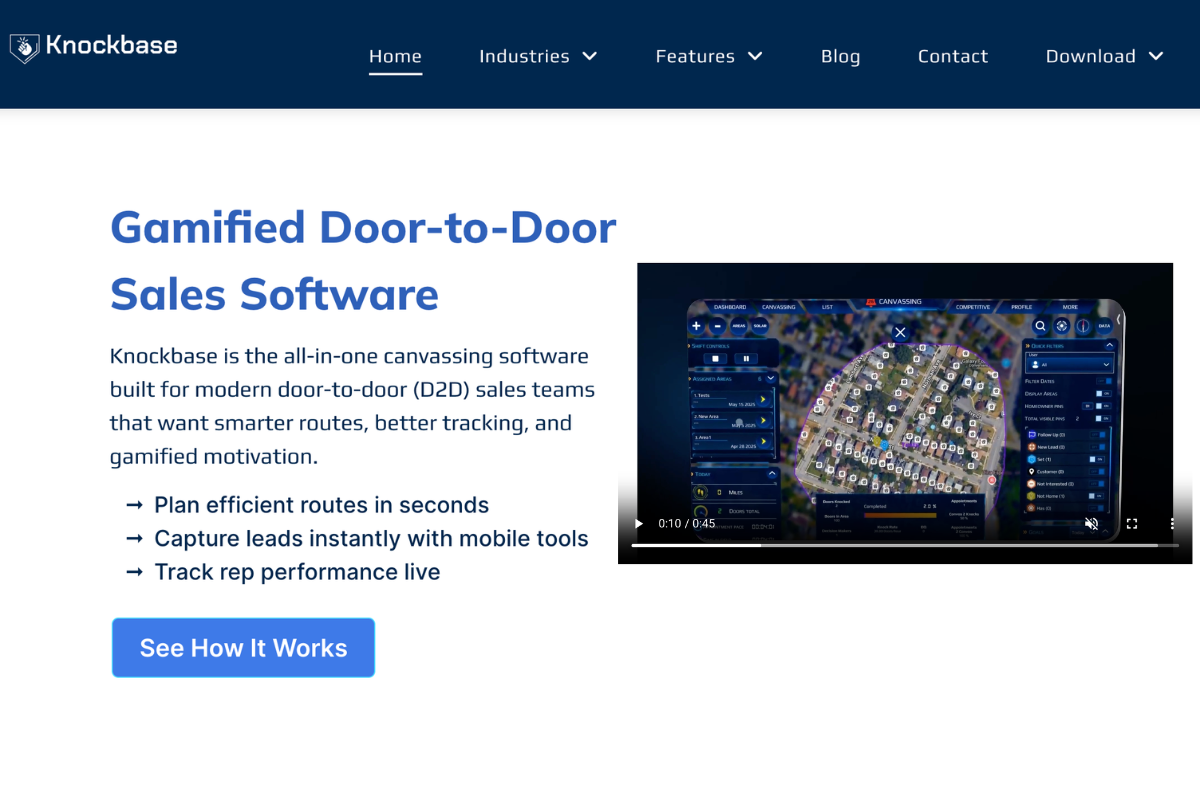
About: It is a mobile-first canvassing software that helps to create optimized routes, track leads, and provides real-time visibility with automated reminders to help teams achieve better outcomes in sales canvassing.
Best Fit: It is ideal for growing teams in roofing, solar, HVAC, pest control, and other field service industries where campaign managers are looking to improve route efficiency, lead management, and team accountability.
Key Features:
- Advanced Route Optimization & Dispatch: GPS-powered algorithms analyze live traffic and route conditions to assign the shortest paths and ensure efficient turf cutting by assigning canvassers based on workload, skills, and location.
- Detailed analytics dashboard for actionable insights: AI-powered visual analytics that track progress and performance, and conversion trends, to optimize turf management to maximize canvassing outreach.
- Gamified Leaderboard: Real-time tracking shows canvassors' performance through a gamified leaderboard with metrics like appointments, conversions, doors knocked, and revenue through points and badges to unlock commission-earning opportunities and boost internal motivation.
- Customizable Surveys and Forms: The built-in tool for data collection from potential clients by creating instant custom field forms and surveys filled out instantly to capture insights for better sales strategy and engagement to improve success.
- Real-Time Tracking of Techs, tracks, and Jobs: Real-time insights on lead status, door-to-door interactions, and canvassors' location to adjust strategies and routes for maximized output.
- Seamless CRM Integration: The software syncs to existing systems for a smooth data flow and prevents duplication of data, providing a single source.
- User-friendly Interface: It has a highly intuitive interface that is easy to navigate for all users, allowing maximum usage of the software to its full potential.
- Lead management: Streamline lead tracking with automated follow-up and automated alerts to keep every lead active and engaged in the sales pipeline loop
Pricing: There is no public disclosure of subscription pricing. You can connect with the sales support team to discover the plan that best suits your company's needs.
2. SalesRabbit
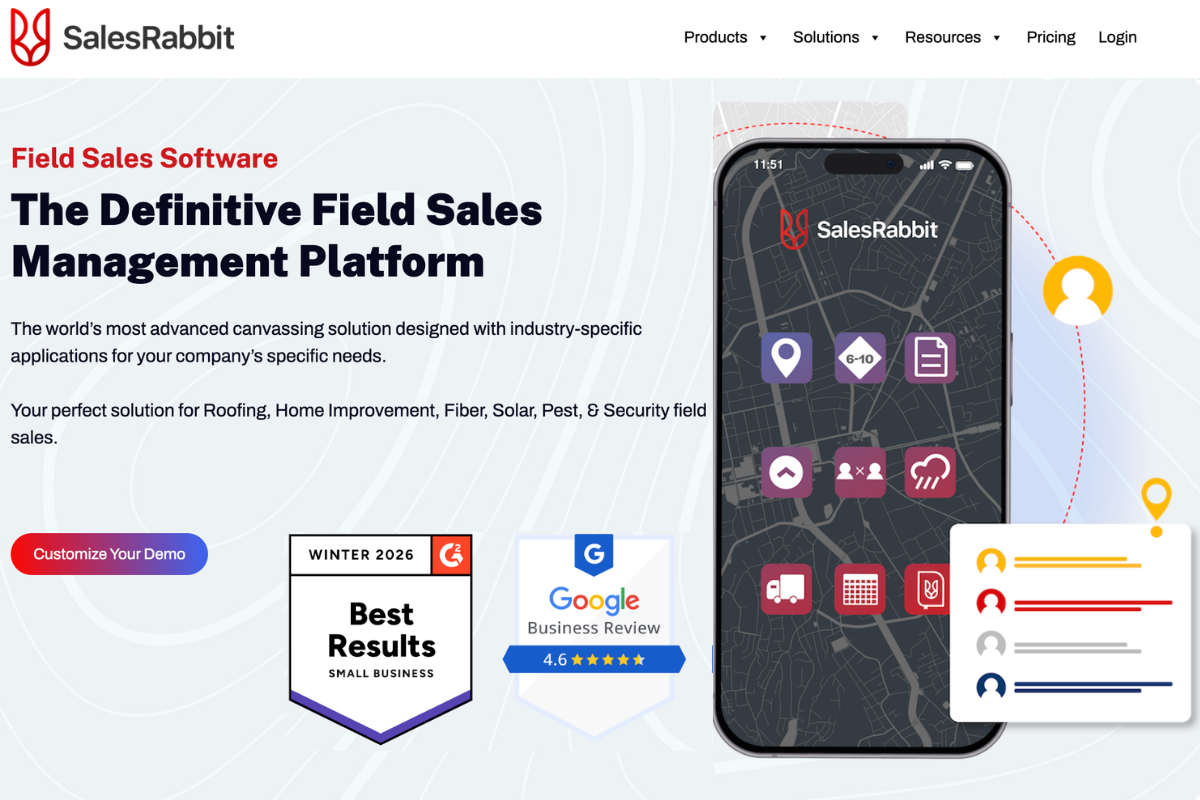
About: It is a field sales software built for canvassors to manage customers, leads, and team collaboration while they are on the go.
Best Fit: It fits all small and medium-sized B2B and B2C door-to-door sales teams for optimized territory management, lead tracking, and team management in real-time.
Key Features:
- Territory Management: Interactive color-coded maps to track leads and assign canvassers scheduled routes with live tracking, using the shortest routes to cover the maximum number of doors.
- Lead Pipeline Management: Tracks leads from multiple channels with a visual map showcasing lead sources and status, with lead stacking in crowded areas and customized automated follow-ups to engage leads.
- Scheduler for Assigning Canvassers: Drag-and-drop features with an easy booking interface to assign and reschedule canvassing door lists and routes based on real-time conditions and dynamic needs.
- Real-Time Performance Insights: Track the progress and status of canvassing metrics daily to gain visibility for identifying frictions that hinder conversion rates.
- Customizable User Interface: Custom fields for instant data collection of survey responses and create proposals for different customers with pre-filled options to quicken workflow operations.
- Leaderboard Dashboards: Digital scorecards for every field rep, updating real-time performance to identify coaching needs and reward top performers to keep them engaged and motivated.
Pricing: It has a tiered pricing plan. There are three major subscription plans:
SalesRabbit Team: $59 per user, billed monthly, offering minimal features for basic canvassing, sales, and analytics tool.
SalesRabit Pro: $75 per user, billed monthly, offering the above-mentioned basic features along with API integration to support scalability, and gamification features.
SalesRabbit Enterprise: With all advanced features, including customization, real-time tracking of weather, and AI integration. You need to connect to the sales team to know the pricing details.
3. SPOTIO
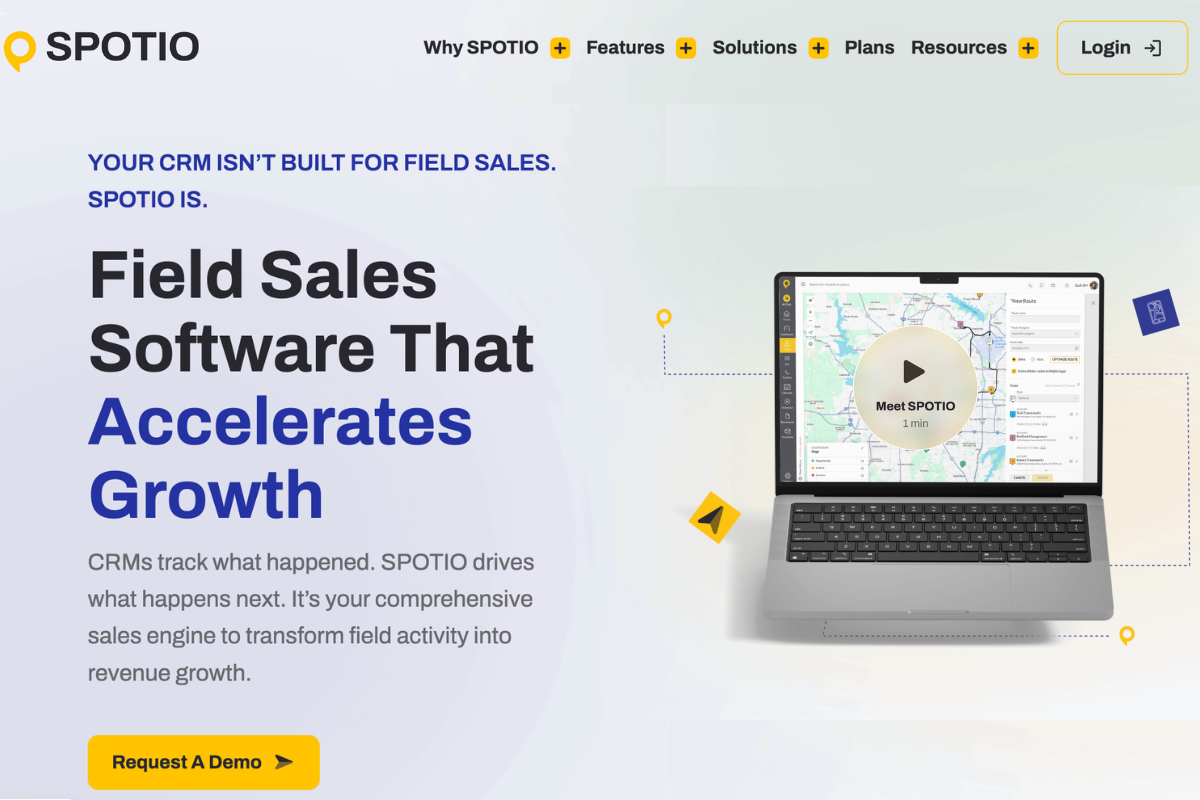
About: It is a mobile-first field sales software designed to map and optimize routes with real-time tracking and analytics, helping B2B and B2C teams close more deals while focusing on high-volume sales activities.
Best Fit: SPOTIO serves a wide range of businesses, including startups, SMBs, mid-market, and enterprises that require detailed dashboards, tight CRM integration, and optimized turf management covering large geographical areas.
Key Features:
- Intuitive user interface and mobile app: It is a mobile canvassing software with robust features supporting both iOS and Android devices with a very user-friendly interface.
- GPS-enabled route planning: Uses visual mapping and real-time tracking for maximum coverage with shortest routes, and automated field reps assignment to the right territories based on availability, location, and skills to meet targets.
- Lead Pipeline Tracking and Automation: Tracks and captures every lead from multiple channels with automated follow-up to keep the sales process moving and maintain prospect engagement.
- Deep Analytical Dashboard: Gives managers a live view of canvassers’ activities, deals closed, pending doors, and meeting notes to spot trends and enable targeted coaching for better performance.
- CRM Integration with Major Tools: It seamlessly syncs with major CRMs like Salesforce, NetSuite, and SAP, fitting into existing systems without disrupting workflows.
Pricing:
The pricing is not publicly disclosed on its website, and you need to connect with the sales teams to get accurate pricing after a consultative discussion.
4. Housecall Pro
About: It is a SaaS platform designed to streamline operations and boost revenue for home service businesses, serving as a centralized hub for scheduling, invoicing, customer communication, marketing, and business analytics.
Best Fit: Solo operators and small crew teams looking to scale by switching to basic automation tools to implement better canvassing activities in the home service business.
Key Features:
- Automated Scheduling and Dispatch: Calendar view with color-coded jobs, providing a drag-and-drop feature to access assigned jobs and readjust them with a few clicks.
- Customizable Templates: Create detailed estimates and proposals within minutes with digital e-signatures from the mobile app for faster approvals.
- Online Customer Portal: Allows customers to communicate instantly with the team and book appointments online.
- Simplified Analytics in Visual Form: Key performance metrics such as lead conversion rate, field reps’ performance, revenue generated, and progress reporting tools to spot opportunities and adjust strategies to boost performance.
Pricing:
There are three main flat-rate subscription plans, which are as follows:
Basic: $69/month (annual billing) or $79/month (monthly billing) for one user. like real-time dispatch, scheduling, and invoice processing.
Essentials: $149/month (annual) or $189/month (monthly) for up to 5 users with additional features such as CRM integration.
Max: $299/month (up to 8 users) or $329/month with additional features like advanced reporting and API access.
5. Jobber
About: It is an all-in-one business management software with in-built AI to cut admin time by automation of repetitive activities such as proposal generation, job dispatch, follow-up automation, invoice creation, payment processing, and marketing drip campaigns.
Best Fit: Suitable for small to mid-size home service business who need the right tools to streamline their business operations to enhance customer service.
Key Features:
- Advanced Scheduling and Dispatch: A visual view of team members' availability, open time slots, and location to prepare a walk list for maximum outreach with minimal travel time.
- Client Hub: Accessible to customers to book appointments, approve quotations, review scheduled jobs, process payments, and initiate referrals through a few clicks, increasing overall customer satisfaction.
- Centralized Storage: All important documents, job details, digital contracts, and customer information are stored in a centralized system with secure access, ensuring the core foundation of the business is never lost.
- Mobile App with Real-Time Updates: Campaign managers can track the progress and performance of all campaigns with real-time visibility and instant notifications.
- CRM Integration: Seamless integration with third-party tools like QuickBooks, Zapier, Mailchimp, and Stripe for smoother workflows and better operational efficiency.
- Analytical Reporting Tools and Analytics: Provide data-driven insights to understand canvassing performance, sales, and revenue trends, while identifying bottlenecks that may hinder better performance.
Pricing: Jobber has three main plans that it offers. These are as follows, billed annually:
- Core Plan: Starts at around $19/month
- Connect Plan (Teams): Starts around $65-$97/month
- Grow Plan: Around $97-$195/month
- Plus Plan: Around $344/month. Built for bigger teams with more users, deeper automation, and premium support features
Where Teams Still Go Wrong (Even With a Good Canvassing Tool)?
Top-tier canvassing software fails due to careless teams that fail to utilize the full potential of the software.
Mistake 1: Not used as a productivity tool: The software is used only for management purposes and viewed as a surveillance tool, rather than a digital assistant that helps reps work faster and more effectively.
Mistake 2: No Structured Training Module: Lack of proper training and onboarding means teams don’t fully understand the platform’s functionality or how to integrate it into daily routines, leaving many features unused.
Mistake 3: Used as CRM only and neglected for productivity traits: Treating the CRM as just a data repository instead of an action-oriented platform, failing to use automated follow-ups, alerts, and lead tracking, leads to overflowing pipelines and missed opportunities.
Where Knockbase Door-to-Door Sales Software Fits in a Modern Canvassing Workflow?
Door knocking is more impactful if you have the right tech to leverage. Let us see how Knockbase Canvassing Software can transform your field activity!
- Real-time data-driven decisions through analytical dashboards that log daily activities and key performance metrics.
- Live GPS-powered visibility to track field reps and job progress, ensuring accountability for every action.
- Automated alerts and follow-ups for leads and prospects to keep them engaged and teams responsive.
- Mobile-first model with an intuitive interface, one-tap activity updates, and offline support for uninterrupted field work
The Strategic Takeaway: Canvassing Apps Is a Multiplier, Not a Fix
You do not just buy tools; you must adopt them into your daily workflow, which evolves as you scale. The right canvassing software turns into a multiplying force that accelerates deal closures. You must not only use canvassing software as a digital notepad, but also optimize every function to operate better.
Do not just install the software, but operate it the right way to win deals.
A straightforward app with advanced features and ease of use can be quickly adopted by your team members and help you achieve your goals.
See the real action of canvassing software for sales teams winning big sales in canvassing. Connect with our experts for a discovery call and see how you can achieve your campaign goals with the right system in place.
FAQs
1. How Does Canvassing Software Improve Accountability Across Teams?
A dedicated canvassing app provides real-time tracking of field activities with offline functionality, even when the network drops, along with detailed analytics and relevant canvassing data to identify bottlenecks and boost productivity.
2. When Should a Growing Team Upgrade Its Canvassing Software?
Growing teams need to switch to digital solutions once their sales or canvassing operations outgrow manual management systems. The reliance on spreadsheets, manual data entry for paper forms, and disconnected communication begins to hinder efficiency, slows down field operations, and creates data inconsistencies.
3. What are the key features of the Best Canvassing Software?
Powerful canvassing tools must include relevant features such as GPS-powered advanced mapping for route optimization, real-time data collection via an instant communication portal, customizable forms to collect survey responses, offline functionality with automated online syncing, and an AI-based analytical dashboard to visualize canvassing campaign performance metrics.
4. How Does a Canvassing App Help in Lead Management?
Field Sales teams can scale outreach with canvassing software that uses smart AI tools to track inbound leads and send automated messages to outbound leads with timely follow-ups to engage prospects and close deals faster.
5. What is the best canvassing software?
Top canvassing tools focus on territory mapping, lead tracking, and real-time field updates. Platforms like SalesRabbit and SPOTIO are widely used for door-to-door teams, while tools like Knockbase combine mapping and follow-ups in one place, making field outreach more organized and efficient.
6. What is political canvassing software?
Political canvassing software helps campaigns manage voter outreach by organizing territories, assigning volunteers, and tracking interactions digitally. It replaces manual lists with real-time data, making campaigns more structured, similar to how tools like Knockbase streamline field tracking and follow-ups.